

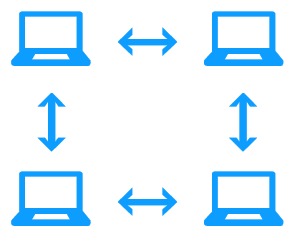
NettSend Features
- free for personal use
- network license for commercial use
- very user-friendly
- intuitive to operate
- no server required
- for up to ~30 PCs
- easy installation
- compatible with Windows 10 and Windows 11
The setup program guides you through the installation process for a trouble-free installation. The default settings can be used for most configurations.
The software is also provided as a ZIP archive and can be started without going through the installation procedure.
Please send support requests for NettSend by email to: info@datinf.de
The most important settings can be accessed by right-clicking the NettSend icon in the notification area of the taskbar (next to the clock):
- Autostart function (start the program when Windows starts)
- Play a sound when a message is received
- Select the sound file to be played when a message is received
- Save received messages to a text file
- Shortcut for the screen saver
NettSend icon in the notification area
If the icon is hidden in the notification area, this can be corrected via “Customize notification icons” (right-click the clock) by selecting “Show icon and notifications”.
Firewall
By default, the firewall blocks incoming NettSend messages. Therefore, NettSend checks the firewall settings and, if necessary, opens the firewall settings dialog. Instructions for manually setting the firewall settings:
- Start → Search
- Type “Firewall” and select “Allow an app through Windows Firewall”
- Click “Change settings”
- Find NettSend or add it, and check “Private network”
Technical details
- Communication via UDP (default port 3030)
- On startup, a broadcast message is sent. All existing local network adapters are iterated; for broadcast the respective IP address is used as nnn.nnn.nnn.255
- If there is no connection to another NettSend client, a broadcast message is sent every 10 seconds
- The autostart setting is stored internally in the registry: HKCU\Software\Microsoft\Windows\CurrentVersion\Run
- Program settings are stored under HKEY_CURRENT_USER\Software\Datinf\NettSend\Settings
- Text snippets are stored in {CommonAppData}\Datinf\NettSend\NettSendTB.ini (under Windows 7 this is, with a standard installation, c:\Users\All Users\Datinf\Nettsend\NettSendTB.ini)
Command-line parameters
If port 3030 is blocked by other software, the network port used can be configured with a command-line parameter.
Nettsend.exe -pNNNNN
-p … select port (default: 3030)